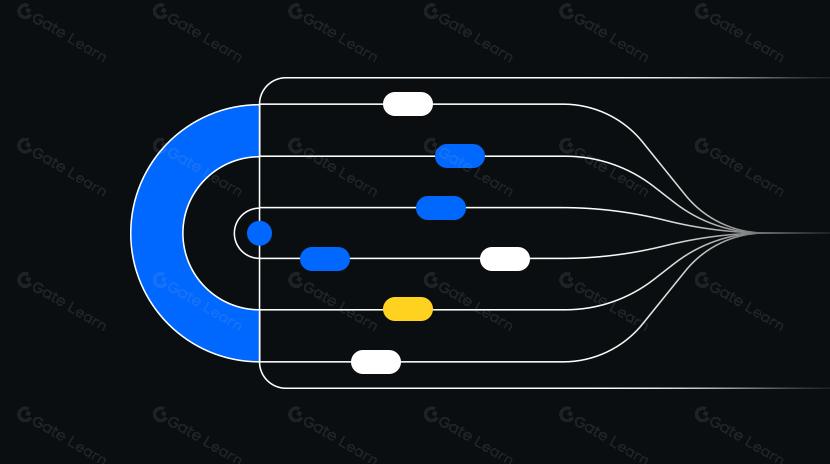
What Is an Order Matching System?
An order matching system is the core component of a trading platform responsible for efficiently pairing buy and sell orders based on predefined rules. It determines which orders are matched, sets the final trade price, and records transaction details.
You can think of it as both an “auctioneer” and a “bookkeeper” at a live marketplace. The auctioneer decides who trades first, while the bookkeeper accurately logs the price and quantity to accounts and ledgers. The “order book” refers to the queue and snapshot of all outstanding buy and sell quotes on the platform.
How Does an Order Matching System Work?
Order matching systems typically follow a “price priority, then time priority” approach. When a new order arrives, it seeks the best available price from the opposing side’s queue and executes trades in order of arrival.
For example, with a limit buy order: Suppose you submit a request to “buy 10 units at no more than 100.” The system will match this against sell orders starting from the lowest price. If there are 6 units available at 98 and 4 units at 99, you’ll purchase 6 at 98 and 4 at 99, totaling 10 units. If there aren’t enough units available, you get a “partial fill,” with the remainder staying in the order book until matched.
Market orders work more directly: You specify only the quantity and demand immediate execution. The system matches your order against the best available prices until your quantity is filled. Since you don’t set a price, market orders are more prone to “slippage,” meaning the executed price may differ from your expectations.
What Is an Order Book in an Order Matching System?
The order book is a real-time record maintained by the order matching system, displaying queued buy and sell orders at each price level—similar to a checkout line at a supermarket, where those at the front are served first.
The order book is split into bids (buy orders) and asks (sell orders). Bids show prices and quantities buyers are willing to pay, while asks show those sellers are offering. Trading interfaces often display “depth,” representing the stacked quantities at various price levels, helping users gauge supply and demand near their target prices. The order book updates continuously as trades execute and new orders enter.
What Types of Orders Does an Order Matching System Support?
Common order types include limit orders, market orders, and conditional (trigger) orders—each offering different control over price and execution speed.
- Limit Order: You specify the maximum buy price or minimum sell price. Trades only occur when counterparties meet your criteria—ideal for users wanting strict price control.
- Market Order: No price is set; you prioritize immediate execution. The system matches your order against the best available prices in the order book. Fast entry or exit is possible, but slippage risk is higher.
- Conditional Order: Orders that activate only when certain conditions are met, such as stop-loss or take-profit orders. Once triggered, the system submits a limit or market order for risk management or profit locking.
Some platforms offer advanced orders like iceberg (showing only part of your total size) or post-only (adds liquidity but never matches existing orders), enabling specific trading strategies through concealed or restricted execution.
What’s the Difference Between Order Matching Systems in CEXs vs. AMMs?
Centralized exchanges use order matching systems driven by order books; Automated Market Makers (AMMs) do not use order matching systems—they rely on pricing formulas and liquidity pools to provide quotes.
In order matching systems, prices emerge from genuine buyer and seller intent within queued orders, following strict price and time priority. In AMMs, prices are calculated using formulas based on the relative balance of assets in pools; trades may experience slippage and depend primarily on liquidity depth. Order matching is ideal for precise price control and queue management, while AMMs are better suited for fast swaps and long-tail asset liquidity provision. Many platforms adopt a hybrid model combining order books and AMMs to address different trading needs.
On Gate, the order matching system automatically pairs your trades in spot and contract markets. After selecting your order type, price, and quantity, the system executes your trade per its rules and generates transaction records.
Step 1: Visit Gate’s trading interface and select your desired market and trading pair (e.g., choose spot trading and pick your preferred crypto pair).
Step 2: Choose your order type. To control price, select a limit order and enter your target price; for instant execution, choose a market order and specify only quantity.
Step 3: Enter quantity (and price if applicable). The interface will show estimated cost or quantity. Review order book depth to gauge possible slippage or decide if splitting your order is necessary.
Step 4: Submit your order and review transaction details. If partially filled, unfilled portions remain in the order book; you can cancel or modify them from your open orders list.
Step 5: Understand fees and roles. A Maker adds liquidity to the order book (typically lower fees); a Taker matches with existing orders (usually slightly higher fees). Refer to Gate’s current fee schedule for details.
Evaluation focuses on latency, throughput, and fairness. Lower latency and higher throughput enable handling of volatile markets and peak volumes; fairness means strict adherence to price-time priority, minimizing frontrunning or improper reordering.
Industry standards have reduced matching latency to milliseconds and boosted peak processing to tens of thousands of orders per second, aiming for high availability and rapid failover. Fairness is enforced by clear queuing and execution rules, network optimizations, and robust queue designs to prevent stuck or excessively retried orders during extreme volatility. Protocols using on-chain settlement explore batch auctions and time windows to further reduce frontrunning opportunities.
What Are Risks and Common Issues in Order Matching Systems?
Typical risks include slippage, partial fills, failed cancellations, and frontrunning in on-chain scenarios. Understanding these helps you place orders more confidently:
- Slippage: Market or low-liquidity trades may execute at unexpected prices; mitigate by using limit orders or splitting large trades.
- Partial Fill: Occurs when there’s insufficient counterpart quantity or rapid price shifts; monitor order book depth or widen acceptable price range.
- Failed Cancellation & Maintenance: During high volatility or platform maintenance, cancellations may be delayed or fail; watch for status updates before making major changes.
- On-chain Frontrunning: On-chain matching may be susceptible to others preempting or reordering transactions; reduce risk with batch auctions, private channels, or delayed reveal strategies.
- Fund Security: Use leverage and triggers carefully to avoid overtrading; safeguard API keys with proper IP whitelists and permissions.
What Are Future Trends in Order Matching Systems?
Order matching systems are evolving toward hybrid architectures and smarter order placement. Key directions include off-chain fast matching combined with on-chain settlement for performance plus verifiability; batch auctions clearing trades within short time windows to reduce frontrunning; intent-driven ordering where users specify desired outcomes, letting systems optimize execution paths.
Additionally, platforms are strengthening pre-trade risk controls (like price protection or rate limiting) and enhancing transparency through state displays and replay tools so users can track their order’s position in the queue.
Key Takeaways About Order Matching Systems
Order matching systems define trade sequencing, pricing, and speed—the “heart” of order book-based trading. They pair buyers and sellers according to price-time priority rules while supporting diverse needs through various order types. Compared to AMMs, they offer granular control over pricing and queue priority. On Gate, selecting suitable order types, monitoring order book depth, understanding Maker/Taker roles, and watching for slippage helps achieve optimal results. When evaluating these systems, consider both performance/fairness metrics and robust risk management practices.
FAQ
What Is Slippage in Order Matching Systems & How Can You Minimize It?
Slippage refers to the difference between your expected execution price and the actual traded price—often occurring during volatile markets or low liquidity periods. You can minimize slippage by choosing highly liquid trading pairs, placing trades during off-peak times, setting reasonable slippage tolerances, or using limit instead of market orders.
What Common Mistakes Do Beginners Make Using Gate’s Order Matching System?
Frequent mistakes include: placing large market orders on low-depth pairs causing excessive slippage; submitting orders without understanding their type; overlooking risk settings resulting in losses during extreme volatility. Beginners should start small, understand differences between limit and market orders thoroughly, and set stop-losses according to their risk tolerance.
Why Is Liquidity Depth Important in an Order Matching System?
Liquidity depth determines whether you can execute large trades near market prices. Deeply liquid trading pairs absorb large orders with minimal impact; shallow pairs increase slippage risk and delay execution. Before trading on Gate, check order book depth charts to assess liquidity status for your chosen pair.
Why Are Prices for the Same Pair Different Across Exchanges?
Each exchange’s order matching system operates independently with unique liquidity flows and participant profiles—leading to real-time price differences for identical trading pairs. These discrepancies create arbitrage opportunities but also mean you might get different prices on Gate versus other platforms. Compare across exchanges for optimal pricing.
Why Has My Limit Order Not Been Filled?
Limit orders often remain unfilled due to three main reasons: market price hasn’t reached your specified level; low liquidity means sparse buy/sell offers; large order size exceeds available counterparties. Try adjusting your price closer to market rates, splitting your order into smaller portions, or switching to more liquid pairs after reviewing market conditions.